
|
|
|
#1
 11-09-2019, 01:37 PM
|
|||
|
|||
|
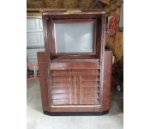
Admirial 30A1 white vertical stripe
Hi All: I just recapped a 1948 Admiral 30A1. After fixing all the typical issues like the horizontal linearity and centering there is one problem I have not figured out.
I get this wide vertical white bar down the left side of the screen with retrace lines in it. Is this a sweep issue or a video issue? Any info would help. I am sure this has come up before as a common problem with this old set. Any help would be appreciated. 
|
|
#2
11-09-2019, 04:18 PM
|
||||
|
||||
|
Likely some variation of horizontal foldover. First try a different damper tube. Sometimes horizontal drive setting can affect it. The vertical retrace lines are probably a separate issue. I don't think those early Admirals had vertical retrace blanking, and so with high brightness and contrast settings that's a fairly normal thing. Oh and welcome to the forum.
|
|
#3
11-09-2019, 04:47 PM
|
|||
|
|||
|
With a picture on screen, turn the horz.hold control both directions (but not so far it loses sync). Does the white bar change/move/shift at all?
|
|
#4
11-09-2019, 05:35 PM
|
||||
|
||||
|
Quote:
|
|
#5
11-10-2019, 01:14 AM
|
||||
|
||||
|
Quote:
__________________
Tom C. Zenith: The quality stays in EVEN after the name falls off! What I want. --> http://www.videokarma.org/showpost.p...62&postcount=4
|
| Audiokarma |
|
#6
11-10-2019, 06:57 AM
|
||||
|
||||
|
Check the big power resistor inside the HV cage. They are often bad
|
|
#7
11-10-2019, 11:29 AM
|
||||
|
||||
|
Quote:
|
|
#8
11-11-2019, 07:18 AM
|
|||
|
|||
|
Thank you all for your input on this strange problem.
I did some experimenting and testing on this problem and this is what I found.... The Damper tube tested good. The white bar does not shift at all when turning the Horz hold. The power resistor was bad and had been replaced. I grounded the video signal at the video amp to eliminate a picture on the screen but kept the sweep circuits working , and the white bar is goes away. This lead me to believe the problem causing the white bar is in the video signal. With video input connected again, I traced the problem back from the output of the video amp output tube V307 back to the output of pin 7 of the V305, the 6AL5 video detector output as shown in attached photo. This video signal can be seen as a higher level after blanking. It seems to be causing the white bar . I replaced the 6AL5 with another good 6AL5 and there was no change. Could this problem be before the video detector? With video on the screen, the entire picture is shown. The white bar is superimposed over the picture. I am at a dead end and don't know where to go from here.
|
|
#9
11-11-2019, 09:33 AM
|
|||
|
|||
|
[/
Quote:
|
|
#10
11-11-2019, 10:21 AM
|
||||
|
||||
|
That is an interesting problem. Seems like a delayed version of the horizontal sync is getting into the video. Are you certain you didn't miswire something? Maybe it is coupling to the local B+ supply. How about a schematic.
|
| Audiokarma |
|
#11
11-11-2019, 11:17 AM
|
||||
|
||||
|
Quote:
https://live.staticflickr.com/65535/...a5a6838a_b.jpg https://www.flickr.com/photos/152661...posted-public/ And here's the flyback end of the Horizontal section. https://www.flickr.com/photos/152661...posted-public/ Last edited by Kevin Kuehn; 11-11-2019 at 11:34 AM.
|
|
#12
11-11-2019, 12:45 PM
|
||||
|
||||
|
How to link a Flickr image so it shows an image of desired size instead of just a URL:
Go to the image (your second link, for example) on Flickr. Click the Download arrow at lower right and select "View all sizes" On the "Photo - all sizes" page, select the size you want. Right click on the image and select "Copy image address" Back on videokarma, "go advanced" to show all the options for your post. Click the "Insert Image" icon (looks like a mountain and sun). A small window pops up. Press Control-V to copy the URL in the box. 
|
|
#13
11-11-2019, 01:24 PM
|
||||
|
||||
|
Quote:
I prefer this method for speed/ease of use YMMV. http://videokarma.org/showpost.php?p...&postcount=238
__________________
Tom C. Zenith: The quality stays in EVEN after the name falls off! What I want. --> http://www.videokarma.org/showpost.p...62&postcount=4
|
|
#14
11-11-2019, 02:05 PM
|
||||
|
||||
|
Thanks, but too much information.
 I just wanted to know why the image was blurring out with the link I'd picked. Maybe it's just me, but for viewing a schematic I prefer clicking a url link and then being able to expand and pan around the image rather that have a blown up portion of the image showing directly in the thread. I just wanted to know why the image was blurring out with the link I'd picked. Maybe it's just me, but for viewing a schematic I prefer clicking a url link and then being able to expand and pan around the image rather that have a blown up portion of the image showing directly in the thread. 
|
|
#15
11-11-2019, 03:32 PM
|
|||
|
|||
|
When I pull the 6AL5 detector, the line goes away. I am sure I have not miswired any caps.
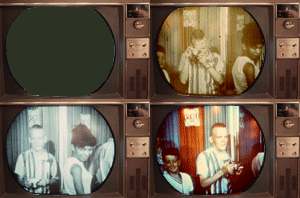
With no video there is no line. If I lower the contrast, the line gets dimmer. If I adjust and increase the contrast it gets brighter at the mid point of the pot as shown in photos, then decreases and shrinks back as I increase contrast as it seems to overdrive the circuit as shown in the photo with thinnest line. This test was done with my signal generator with a cross as shown. Last edited by mepurina; 11-11-2019 at 03:43 PM.
|
| Audiokarma |
 |
|
|







 Linear Mode

