
|
|
|
|
|
#1
 11-02-2025, 10:42 AM
|
||||
|
||||
|
Digitizing analog video for the price of a large cheese pizza
I bought one of those generic "ezcap" shaped USB dongles to get started on digitizing my tape collection. In my game of Russian roulette, I received a device that identifies as the following:
534d:0021 MacroSilicon MS210x Video Grabber [EasierCAP] Linux kernel 2.6.26 and newer supports this device, so on my computer I can just plug it in and it works. I currently use the following command to record video and audio from the terminal: ffmpeg -i /dev/video0 -f alsa -i default -ac 1 out.mkv I record the audio with my computer's built-in sound card, since the ADC on the dongle seems to have some weird DC offset issue. It's set as the default input in ALSA. The -ac 1 option tells ffmpeg that we are recording in mono, since I am archiving monaural Betamax tapes at this moment. The problem is that this dongle is not very good at locking on to chroma from video tapes. It will work fine with video from my Hi8 camcorder, but so far not with many of my Betamax tapes. 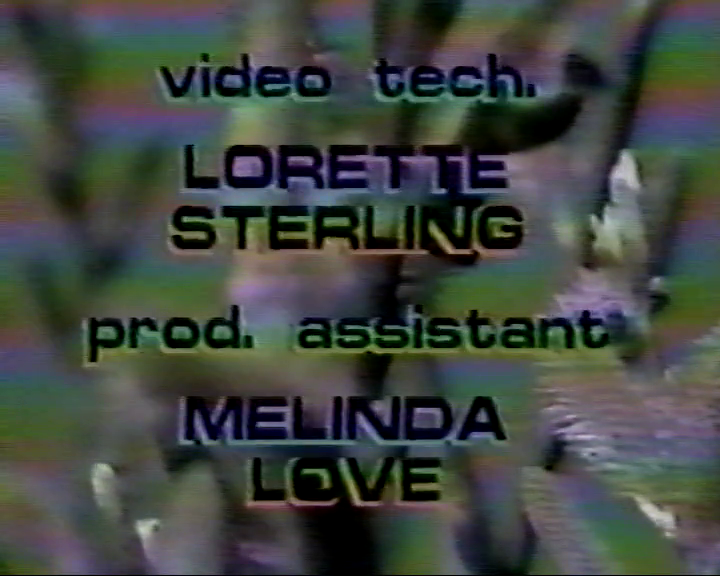 Sample recording: https://youtu.be/Zh7PM-sGGn4 Will a video stabilizer fix it? https://static.anarchivism.org/techt...zer/index.html Or do I have to count my losses, return the dongle. and order a pizza instead?
__________________
 We're all in the same boat. 
|
|
#2
11-02-2025, 07:58 PM
|
|||
|
|||
|
Did someone say PIZZA?
Okay so seriously those USB dongles are at best for consumer use only and tempermental on a good day. What I suspect is happening is the burst level of the betamax is just below the threshold of the dongle DSP while your Hi8 has enough to lock on, you could grab the service manual for the betamax and find the burst level pot and push it up slightly or go with a more professional solution that being A. a timebase corrector or B a professional level capture device that is Linux compatible. On my end I run a number of TBC's as each seems to have a different "personality" with respect to the playback machine. For capture I use a Newtek Tricaster broadcast TC550 which does realtime capture but runs under embedded XP, I also have a Blackmagic PCIe SDI capture device for grabbing raw SDI right out of the digibeta deck. This captures everything raw right to disk, what I do is use the digibeta to transcode the analog input be it Y R-Y B-Y or composite plus audio to SDI or right off the betacam tape to fill a 2TB drive then slip that into my Linux box and edit/convert using Kdenlive. Even with a gigabit ethernet the transfers are painfully slow. The added advantage is the digibeta has proc amp level controls and doesn't need to genlock to the analog source however it is helpful. I realize this is a long trip around the park but it's so far been the best lossless solution that's affordable and compatible with the older 4:3 video without playing aspect ratio games. I've seen a number of those Tricaster boxes on ePay over the years that are missing the drives, problem is Newtek has long since discontinued any and all support for the "legacy" systems after they were bought up but I do have a working image I can copy over and as long as the box itself has the serial numbers and the Tricaster reg number it can be done and I can do it. Newtek had the good sense to include a linux based rebuilder image on the system drive that can be copied over using Ghost then the new drive rebuilt in the computer itself, it will capture the hidden reg number of the Tricaster board during this rebuild and match against the numbers you provide... provided they're on the Tricaster box itself. Time consuming yes but it seems to be the ONLY way to ressurect the TC550 without the factory master image CDROM and I've successfully done many this way. I don't know if the TC550 image will work with the TC350LIVE! or studio models. Last edited by ARC Tech-109; 11-02-2025 at 08:37 PM. Reason: because I wanted to.
|
|
#3
11-03-2025, 08:52 AM
|
||||
|
||||
|
Quote:
I noticed the video coming in from this ezcrap dongle looks less "live" than on a real NTSC monitor. The digital recordings say they're 30 FPS but on the real monitor it looks equivalent to 60 FPS. I guess this is because the dongle records both NTSC fields (60Hz) as one digital frame (30Hz). I have an older PC that's got an Intel Core 2 Quad and two legacy PCI slots. It's certainly up to the task of recording digital video. I think an old Hauppauge capture card will be a better solution. Not a dongle, a real PCI card.
__________________
We're all in the same boat. Last edited by luRaichu; 11-03-2025 at 10:30 AM.
|
|
#4
11-03-2025, 08:39 AM
|
||||
|
||||
|
If you have a DVD recorder/VCR combo or a DVR that can sync to the color reliably try passing the video through it. Many of those devices have good TBCs in them to enable digitizing old VHS tapes and will digitize, store, correct sync, and reconvert each frame back to analog between input and output... they're not as good as a broadcast TBC but they probably are enough to fix this issue.
__________________
Tom C. Zenith: The quality stays in EVEN after the name falls off! What I want. --> http://www.videokarma.org/showpost.p...62&postcount=4
|
|
#5
11-04-2025, 12:39 AM
|
|||
|
|||
|
Yeah it's a standard PC with the Newtek board and a number of ribbons going to the front panel I/O connectors but it does a great job.
Another cap card I've used is the Pinnicle Systems Targa-2000Pro. It's a really old PCI based capcard that only runs under NT4 with SP3 or higher, no Win2K. It will capture betacam/MII, composite/VSHS and audio and do realtime mjpg2 compression (or AVI) doing 4:2:2. It's bandwidth intensive and will saturate UW-SCSI running flat out and will run native in Premier. Card came out in the late 90's and I actually went to their school to learn how to use it. There's also a straight 2000 and the lower end 1000 card but I don't recall all of the differences other than the Pro has a piggyback buffer memory card and real TBC which can be set to remove any and all info in the vertical blanking.
|
| Audiokarma |
|
#6
12-09-2025, 06:12 PM
|
||||
|
||||
|
I bought a Sony capture card for $12 off fleabay, model no. BTF-PA401Z. It is supported by Linux under the ivtv driver and is reported as
"Sony VAIO Giga Pocket (ENX Kikyou) card (cx23416 based)" 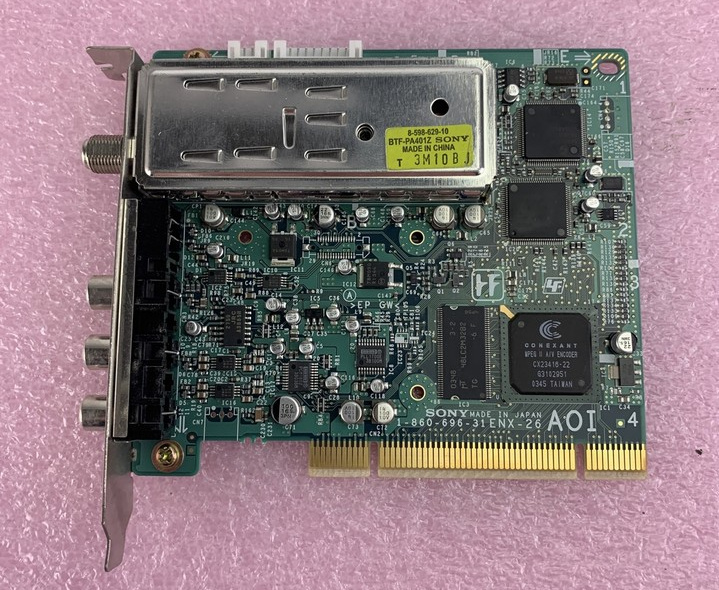 This card provides an MPEG2 stream which can be captured just like this: Code:
cat /dev/video0 >> recording.mpg This card captures video with better color, clarity, and smoothness over the ezcap dongle, but it's more sensitive to horizontal sync than that or a real TV. On some tapes the picture wiggles horizontally (and that's what a TBC is for). I made this GIF to show differences in picture between two VCR/DVD combos I tested.  So, to get a better picture on those imperfect tapes I'll either need to find a VCR with a built-in TBC or modify one of my VCRs to capture the FM signal from the tape head and do TBC in software with the vhs-decode project
__________________
We're all in the same boat.
|
 |
|
|






 Hybrid Mode
