
|
|
|
#1
 12-18-2005, 02:00 AM
|
|||
|
|||
|
dvd - stinking retrace lines
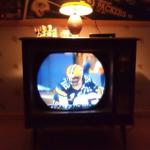
I have played my really old laserdisc player on my old tvs before and never had a problem, so tried my Sony dvd player with Revenge of the Sith on my ctc-10 tonight and get these stupid 'data' lines. (see pic) Tried other discs, same thing. They appear for 15 seconds, then fade away for 5 seconds, etc etc. They only appear if a disc is playing, not when the player is in screensaver mode. And when they are on screen they give me a nasty sound buzz too. The picture and sound are gorgeous if not for these damn lines. If I turn the contrast waaaay down they almost go away... but then so does the picture quality!
I'm running the dvd signals thru rca cables into a little ac/powered video-to-rf gizmo and a coax from that to the tv's antenna splitter. Am I stuck with this? Would maybe a different player not do this, like maybe an older one that has a coax output on it? I know this happens on certain broadcast channels but thought it didn't happen with dvds. thanks! Last edited by frenchy; 12-18-2005 at 02:08 AM. 
|
|
#2
12-18-2005, 02:47 AM
|
|||
|
|||
|
I poked around and apparently it's the Macrovision on the dvds that is the culprit... plus I remembered I had a computer-made copy of a movie that my bro-in-law made for me, and it didn't have the lines, looked fantastic. So sounds like to eliminate it I would have to make copies the way he did on my own computer (I haven't tried doing that yet), I'll find out how he did it. In the words of Emily Latella, "Never mind"!
Frenchy
|
|
#3
12-18-2005, 06:10 AM
|
||||
|
||||
|
Yes I get the same results with my DVD's that have the copy protection on them... but I think my set dispays about half what yours is displaying. If you have any DVDs that arent copy protected, they will play fine without the lines.
Making copies of the DVD will help. You can leave the protection program off the copy and it will play without the lines. A friend of mine burned some DVDs for me and threw out the protection program... worked like a champ for my set.
__________________
Charlie Trahan He who dies with the most toys still dies.
|
|
#4
12-18-2005, 07:12 AM
|
||||
|
||||
|
I really don't like those retrace lines either. I have found that if you adjust the vert. hold, you can sometimes get them down to just 2 or 3 at the top of the screen. A while back I put up a modification to an electrostatic Motorola set (under "how can I tell if my 7JP4 is dead?" - in the B&W forum) which gets rid of these lines on those sets. It worked on my TS-4J. But most of the time I just wind up watching these "bad" DVDs on my Zenith System 3, as the 7JP4 in my Motorola is weak.
I mostly like to watch old TV shows on DVD on my old TVs, and at least so far most of these have been free of the dreaded retrace lines. Can you tell from the box if a DVD has the copy protection or not, I would like to avoid picking up anymore of these DVDs if I could. Last edited by Adam; 12-18-2005 at 07:16 AM.
|
|
#5
12-18-2005, 07:21 AM
|
||||
|
||||
|
Quote:
Tom PS: That's a nice El Camino, Adam.
__________________
Tom 
Last edited by OvenMaster; 12-18-2005 at 07:27 AM.
|
| Audiokarma |
|
#6
12-18-2005, 08:14 AM
|
||||
|
||||
|
Well I recently bought my Wife a DVD/VHS recorder that was to allow my wife to convert all her old VHS tapes to DVD so we can save a little storage space around here. It works fine on tapes that don't have Macrovision encoded on them, but we found that only about one out of 10 tapes don't use the Macrovision copy protection. I did some research via goggle and as best I can determine Macrovision is pretty standard on most all VHS AND DVD commerical media regardless if it is maked such or not. That means on DVD disks there is digital copy protection (which seems to be breakable on PCs with the 'right' ripping software) and Macrovision copy protection to prevent making analog copies of DVD disks. To be fair to the new recorder it was clearly marked on the box and the manual that it would not record Macrovision encoded tapes.
Anyway I've ordered but not received a video stabilizer that is suppose to clean up the blanking/retrace pulse in any Macrovision encoded signal. Then I should be able to copy VHS/DVD from a upstream player into the new recorder via it's RCA video/audio input. I'll post the results after I receive the device if any one is interested. http://www.checkhere22.com/stabilizer.html Lefty
__________________
Lefty: Cables? I don't got to show you no stinkin' cables 038° 00' 58.68" -122° 15' 39.54" 134.84 ft Last edited by Lefty; 12-18-2005 at 08:18 AM.
|
|
#7
12-18-2005, 09:31 AM
|
||||
|
||||
|
problem with sync pedistal
when the vcr first came out we had similar problems because the sync pulse generated on the vcr were lower than the old tube sets could handle, try using a video amplifier to boost the video level, the macrovision shouldn't really have any effect. I can still copy any movie on my beta-max.
__________________
[IMG]
|
|
#8
12-18-2005, 02:13 PM
|
|||
|
|||
|
<<<Anyway I've ordered but not received a video stabilizer that is suppose to clean up the blanking/retrace pulse in any Macrovision encoded signal. >>>
Yes please report what it does to protected dvds Macrovision lines, maybe I can get this thing and not have to burn a bunch of dvds! thanks
|
|
#10
12-18-2005, 11:48 PM
|
||||
|
||||
|
I had a so-called "video stabilizer" that was supposed to do that. It was probably a fraud. I never tried to copy tapes with it, but it wasnt very effective at removing the macrovision lines from the screen. It degraded color quality. I used it as a video modulator for about 6 months. Then it failed (I think). I hope you have better luck.
Copy protection on tapes is recorded on the tape. To get rid of it you have to have something to actually remove it. On DVDs, the copy protection is added on playback. It's also much brighter and more annoying to watch. Probably getting something that doesnt add it is the best solution. Certain Apex models can have it turned off, or the firmware replaced with some firmware that does not turn it on. There are some DVD recorders, too. Liteon maybe? VHS is more trouble because it is already on the tape. They are just white pulses of varying amplitude in the first few lines of the picture. These lines are supposed to be black. The beam has not made it back up to the top of the picture during the first few lines. The white pulses show up as diagonal lines, out of convergence. There are some devices made for TV stations that replace the sync pulses, burst, and the first few black lines. These are used for trying to rescue high generation or just bad videotape. I havent tried this but it is probably expensive. Some standards converters can do this too, at about $700. It might be possible to build something into the set to fix it. If you could keep the CRT blanked for the first few lines without affecting the rest of the picture, that might do it. I havent tried that, either. Teletext causes the same problems, for the same reasons. John
|
| Audiokarma |
|
#11
12-19-2005, 07:51 PM
|
|||
|
|||
|
With DVDs with macrovision, there is a flag on the dvd that tells the player to output it or not. This copy protection crap is a pain. Yet another reason I hate the MPAA. I think your best bet is to get a player that can turn macrovision off somehow. A macrovision removal box might work, but they are hit and miss. I wouldn't buy a player that didn't allow macrovision to be disabled. I hate the MPAA, I hate with a passion. Since my 630TS is getting the better of me, I may just work on my CTC9 for a while.
Jonathan
|
|
#12
12-20-2005, 07:08 AM
|
|||
|
|||
|
Quote:
Speaking of which, my new (to me) Sony widescreen telly seems to have issues with Macrovision-encoded VHS tapes, despite the video being connected directly to the TV by a short (<1m) SCART (AV) cable. Real pain in the arse...
__________________
__________________ Make your choice, adventurous Stranger; Strike the bell and bide the danger Or wonder, till it drives you mad, What would have followed if you had
|
|
#13
12-20-2005, 08:28 AM
|
|||
|
|||
|
Although Macrovision since it was first used has been a PITA there is ways to get around it. I had some problems backing up some of my Laserdiscs when I tryed recording on my DVD recorder. Sharpness and colors were off. I started to do a little research and found the SIMA Color Corrector 2 did the job for me. It will eliminate any copyguard at this time on VHS, DVD. I tryed to record some of my Mr. Bill DVD's for a good friend and even my older smaller copyguard eliminator left thin yellow lines across the screen. SIMA will take care of that. Yeah it can be a little pricey, but if you are going to do alot of viewing and recording of Macrovision I would strongly suggest it. I dropped $200 locally for one just because I needed the option to take it back in case it didn't work for me or it encountered problems. You can adjust color blue,red,green-sharpness-contrast-tint-brightness. Has s-video & rca in/out can handle 4 inputs and is remote controlled. Its an amazing little unit that has worked for me now for about a year. When I transfer my Looney Tunes the colors are even brighter than the original in some instances. I have tryed those small hideaway types and they work for simple applications but if you require more control the Color Corrector is the way to go. Color Corrector is for VHS only the Color Corrector 2 or II is for DVD/VHS and can handle any Macrovision until blue ray arrives. I have read they will use an updated Macrovision for those. I have no affiliation with SIMA I just know it works and my friends are impressed with my transfers.
 Below: SIMA SCC is for VHS only the second pis is SCC 2 for VHS/DVD Last edited by madpioneer; 12-20-2005 at 08:39 AM.
|
|
#15
12-21-2005, 12:03 AM
|
|||
|
|||
|
I think I'll just opt for another cheapo dvd player that can be hacked, the particular Sony I have now cannot be hacked according to that site with the secret codes I just looked at. This would be easier alternative than having to mess with a dvd copy every time or spend quite a bit more on that Sima thing, especially for purposes of just watching something on a roundie once in a while. thanks!
|
| Audiokarma |
 |
|
|






 Linear Mode

