
|
|
|
#1
 06-16-2009, 06:34 PM
|
||||
|
||||
|
RCA CTC-11 Purity & Convergence Settings
Now that I have the blue lateral magnet and purity rings, I'm ready to try setting the purity, convergence, etc., on my RCA-CTC-11. Except for sliding the new parts onto the CRT neck, I haven't tried to adjust anything, so I guess this will be my "before" picture.
My little RCA Color TV Service Handbook has a pretty clear description of the general procedures. I've heard different ideas about which to do first. Someone said, purity first. The book says set static convergence for the center of the screen, then purity. Opinions? Any other advice is welcome, too. I'm assuming I'll have to do this more than once, so the first time will just be for practice. Phil Nelson P.S. I am using a new-ish solid state pattern generator. 
|
|
#2
06-16-2009, 07:42 PM
|
||||
|
||||
|
I would do purity first as it affects convergence and will mess up what you just did. At least that's how I do it and it works.
__________________
My TV page and YouTube channel Kyocera R-661, Yamaha RX-V2200 National Panasonic SA-5800 Sansui 1000a, 1000, SAX-200, 5050, 9090DB, 881, SR-636, SC-3000, AT-20 Pioneer SX-939, ER-420, SM-B201 Motorola SK77W-2Z tube console McIntosh MC2205, C26 
|
|
#3
06-16-2009, 11:44 PM
|
||||
|
||||
|
what mark said. 1st adjust purity, then converge red on greed, then blue on amber.
for purity: turn down green and blue screens. if your generator has a raster only function use it, otherwise you might need to turn down the AGC for raster only. Take a look at the red raster. It should be perfectly red. If there are impurities at the center adjust the ring assembly. Spreading the tabs increases field intensity, rotating it changes field direction. You're aiming for best center purity. If there are impurities around the edges, loosen the deflection yoke and carefully slide it forward and back to obtain best edge purity. If there is heavy contamination that can not be corrected with this procedure, then the tube may need to be degaussed. it really helps to have a large mirror in front of the set when doing this.
__________________
Jordan
|
|
#4
06-17-2009, 12:29 AM
|
||||
|
||||
|
Phil,
The first thing you have to remember about this set is that even when it was brand new there was no such thing as perfect, especially in purity or convergence. Do not drive yourself crazy trying to do so. Your goal is to get the best of both and then enjoy the program. As far as the purity or convergence, I always went with the static convergence first. If it is way off, your purity adjustments are for naught. ALWAYS degauss the set first before attempting purity adjustments. You can "kill" the different colors by shorting the respective CRT color grids to ground thru a 100K resistor and avert having to constantly mess with screen and drive controls. Also pull an IF tube to kill the video if need be. If you have a cross hatch generator hooked up, check the linearity and adjust if needed. Kill the blue and green screens. Adjust red screen to obtain a viewable raster (I recommend doing this in a darkened room). Slide the yoke back until you have a small raster in the center of the screen and adjust your purity rings for the best red in the center. While you are doing this, get a feel for the purity rings. Turn them all around in every clocking position you can as to get a feel for what they do. You aren't going to hurt anything, for sure. Once you feel you have obtained the best possible (not perfect) red, start sliding the yoke forward. As you slide the yoke forward, the screen will start filling up with (hopefully) nothing but red. If not, play with the purity rings again to get a feel for what they do. They can make the purity better, but you will have to play with it. Check your static convergence with all screens on as it is probably off some (or a lot) and adjust as needed. After a few times at the most you static should be acceptable. As said in another reply, the final positioning of the yoke affects edge purity. Once you've had some fun and the feeling of accomplishment in getting an acceptable purity you can move to dynamic convergence. Here is where the real fun begins. Then you get to adjust they gray scale. Keep us posted, and have some fun. You'll do fine. Phil
|
|
#5
06-17-2009, 01:41 AM
|
||||
|
||||
|
Thanks for all of the advice. Just fiddling with controls on the convergence board made an improvement. Tomorrow I should have some time to try it the right way.
Phil
|
| Audiokarma |
|
#6
06-17-2009, 11:24 AM
|
||||
|
||||
|
Quote:
__________________
Just look at those channels whiz on by. - Fred Sanford
|
|
#7
06-17-2009, 11:46 AM
|
||||
|
||||
|
It depends, as parts age they drift and some stay closer to their tolerance than others. I have 2 '65 Zenith sets with the 25MC33 chassis and one will converge much better than the other although both look really good. But it is true that it will never be perfect. Like you said, at viewing distance they look great and probably weren't much better when new.
Phil: It looks like your sweep circuits are really healthy judging by the geometry of your picture, it should converge and look great, I can't wait to see the picture it has. Looks really sharp and bright too. Great first color roundie!
__________________
My TV page and YouTube channel Kyocera R-661, Yamaha RX-V2200 National Panasonic SA-5800 Sansui 1000a, 1000, SAX-200, 5050, 9090DB, 881, SR-636, SC-3000, AT-20 Pioneer SX-939, ER-420, SM-B201 Motorola SK77W-2Z tube console McIntosh MC2205, C26
Last edited by zenithfan1; 06-17-2009 at 07:38 PM. Reason: spelling
|
|
#8
06-17-2009, 04:08 PM
|
||||
|
||||
|
Speaking of purity, here's what I've got. The fireball looks even across the screen -- no shadows or moire effect, despite my crummy photo. This is with my generator output set to raster and the blue/green guns shunted to ground through 100K resistors.
I played with the purity rings, but they didn't seem to make things either better or worse. I think I'll declare victory and go on to convergence. Phil
|
|
#9
06-18-2009, 01:06 AM
|
|||
|
|||
|
Before you move on to convergance, you have a height and linearity issue to fix. All those blocks should be the same size. It looks like the top ones are compressed. Looks like you have plenty of scan just touch up the vert height and lin controls a bit. To see much effect from the purity rings you would need to pull the yoke back as far as it will go without moving the convergence yoke, then use the purity rings to center the red on the screen. Once it is centered push the yoke up towards the bell of the crt until the red fills the screen and lock it down. Be careful not to turn it left or right. You will know if you did when you look at your crosshatch pattern as the lines would be slanted left or right. Once these things are right do the center static convergence. This will take care of about 80% of the screen and should leave very little dynamic convergence. When you start adjusting the controls on the convergence board find a sams or service manual with the adjustment procedure and follow it to the letter if you haven't done a convergence before. The controls do interact with each other, and you might have to do the entire procedure more than once. If you do not get perfect convergence at the extreme edges don't worry it may not even be noticeable on program material. Take your time, be careful the yoke bites, and have fun. The results will be worth it.
Bill R Last edited by Bill R; 06-18-2009 at 01:19 AM. Reason: Correction to procedure.
|
|
#11
06-18-2009, 11:12 AM
|
||||
|
||||
|
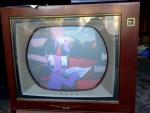
Yes, I did adjust vertical height & linearity before beginning purity & convergence. They were really good around the time I took the "after" photo with crosshatches. Then I decided to actually watch something, using a digital converter box.
My wife came in and said, "Hey, that looks great. Can I watch Boston Legal? Oh -- and can you get rid of those dumb white lines dancing back and forth at the very top?" Who can resist showing off? I monkeyed with height & linearity to overscan so that the extra program material disappeared, and now they're a bit wrong, of course. After that, I started over, doing purity & static convergence by the book. Not so good! Convergence is off everywhere, and I can't get back to the pure white center dot that I had before. My son helped me by staring at the screen during part of this phase. He eventually got frustrated. "No, Dad -- that made the green dot sort of rotate or move diagonally instead of up. Isn't there a control that just says 'move green dot straight up'?" "Everything affects everything" would be a good comment to add to all of these instructions. I noticed that some of the convergence adjustments had a slight effect on height/linearity, for instance. I'll start over again, following the instructions closely. I know the TV can produce a decent picture, so the fault is mine, not the machine's. For example, here's a snapshot of Boston Legal after I overscanned the height and then started "doing everything right." Not perfect, but at this stage, I'd be happy to return to that configuration! Phil
|
|
#12
06-18-2009, 03:59 PM
|
||||
|
||||
|
I love Boston Legal! and your set!!!
 I knew that thing would look great! I have GOT to get a CTC-11. Have fun with 'er Phil......but not too much I knew that thing would look great! I have GOT to get a CTC-11. Have fun with 'er Phil......but not too much
__________________
My TV page and YouTube channel Kyocera R-661, Yamaha RX-V2200 National Panasonic SA-5800 Sansui 1000a, 1000, SAX-200, 5050, 9090DB, 881, SR-636, SC-3000, AT-20 Pioneer SX-939, ER-420, SM-B201 Motorola SK77W-2Z tube console McIntosh MC2205, C26
|
|
#13
06-18-2009, 05:35 PM
|
||||
|
||||
|
Unfortunately, if I took the same photo right now, James Spader would be outlined in red & green like a kid's drawing. There must be a way back to that good convergence, though.
In readjusting vertical height & linearity, I discovered that the vertical centering pot is shot. It has two states, no matter which way you turn it: -- "Where it has been sitting for 40 years" or -- "Bright horizontal line in middle of screen" Phil
|
|
#14
06-18-2009, 11:00 PM
|
|||
|
|||
|
Old tv's sure are fun. Part of the problem is that you adjusted the pots on the convergence board early on. No biggie though. The static convergence magnets will move the dots diaganally for red and green. Blue will move up and down. Once height and lin are right, you may have to redo the center convergance several times. I usually concentrated on red and green first. If you can, put the convergence pots on the convergence board back, or close to where they were originally if any are near the end of their travel. Because red and green do not move straight up or left and right, they will be toughest to get right. Once you do though blue should be easier to get lined up. You will probably want to replace that centering pot. Be patient, and when you get frustrated stop for a while, and take a break. It will have a great picture again.
Bill R
|
|
#15
06-19-2009, 02:03 AM
|
||||
|
||||
|
Yah, in hindsight I probably shouldn't have touched the pots on the board. On the other hand, the instructions tell you to set them all to the midpoint of their range, then do purity and static convergence. This is definitely a learning experience. Half art, half science.
Phil
|
| Audiokarma |
 |
| Thread Tools | |
| Display Modes | |
|
|








 Linear Mode

