
|
|
|
#1
 05-21-2012, 07:27 PM
|
||||
|
||||
|
Excessive G2?
Perhaps I didn't adjust this flyback quite right.
I noticed a flickering redness on the top of my picture while on dark scenes. So I turned down the brightness and contrast ALL the way, and I saw this: http://img.photobucket.com/albums/v3...n/IMG_0510.jpg I had a friend help me adjust it, and what we did was turned down the flybacks screen control, this caused the redness to dissapear.. But then when we did this, we couldn't get a bright picture at all. So we then turned up the RGB BIAS controls, and got not only a VERY acceptable picture, the red seems to be bleeding less now, and the red flickering is gone. Now, on the old Flyback before it died, it did NOT do this at all. And when I put the new flyback in, I didn't even touch the BIAS or drive controls whatsoever.. Did I do the right thing by the way I adjusted it? I don't want to hurt it. But it looks DAMNED good right now. http://img.photobucket.com/albums/v3...n/IMG_0512.jpg Last edited by lnx64; 05-21-2012 at 07:32 PM. 
|
|
#2
05-21-2012, 09:49 PM
|
||||
|
||||
|
Without following factory procedure, you may not have the exact factory setup, but it looks obviously OK to me.
|
|
#3
05-21-2012, 10:01 PM
|
||||
|
||||
|
As long as it looks ok, it won't harm anything? If anything, since the G2 was turned down, wouldn't that cause less strain on the TV as it's only the BIAS controls now that amped it up?
I don't have ANY information on this TV, and can't afford a SAMS manual right now.
|
|
#4
05-21-2012, 11:48 PM
|
||||
|
||||
|
Hmm, doing this seems to have possibly slightly messed with the focus consistency across the screen.. I thought too high a G2 would cause bad focus, cause in this case, lowering G2 seems to have messed up the focus.
|
|
#5
05-22-2012, 09:46 AM
|
||||
|
||||
|
I believe the following to be true, may be someone else can chime in:
1) Wrong G2 can cause the major effect of the video cutoff/drive settings to be misadjusted, resulting in clipping problems (highlight saturation and smear on one or more guns, usually red first) - but I don't think it can harm anything. 2) As a secondary effect, it could degrade focus a bit.
|
| Audiokarma |
|
#6
05-22-2012, 10:48 AM
|
||||
|
||||
|
Hmm and considering this tv was having smearing problems but after my friend and I adjusted it last night, reds sure don't smear anymore. But it's odd, it smeared even with the old flyback.
All last night while watching it, it looked phenomenal.
|
|
#7
06-06-2012, 10:42 PM
|
||||
|
||||
|
Ok I've been pondering this since the HR Diemen flyback has finally come.. But I haven't wanted to install it yet as it would involve having to discharge this again and de-solder stuff again and start all over..
Would that red glow described earlier, would it REALLY be a flyback issue? Or could it just be a tired CRT? The red glow, even on a cold started CRT, would start immediately, before the CRT warmed up. I still can see it, but only with the brightness turned ALL the way down, and in a perfectly dark room.. That's the only time I can see it.. I know it's stupid, but it's still bothering me.
|
|
#8
08-30-2012, 11:24 AM
|
||||
|
||||
|
Sorry to bring up an old post of mine, but I have an update.
When I turn the G2 up on the new flyback, the red flickering glow at the top of the screen is still there, but the reds don't smear anymore (like an old CRT). So, I'm stuck in a catch 22 here.. While the CRT can have a great picture and not smear the reds on a very bright picture, when the G2 is set correctly, the reds flicker at the top half of the picture. So I'm forced to lower the G2, where if the video peaks, reds can smear. Reminder of this glow: http://img.photobucket.com/albums/v3...n/IMG_0510.jpg I'm at a loss at what could be causing this.. Could it be a small cathode short?
|
|
#9
08-30-2012, 01:40 PM
|
||||
|
||||
|
Is it always at the top, or does it change position, especially if you turn the vertical hold and lose vertical sync?
(trying to guess if it's heater related or not) Edit: Also, is it visible in regular pictures, or only a black screen?
|
|
#11
08-30-2012, 04:35 PM
|
||||
|
||||
|
hmm..
now just trying to come up with some wild thoughts that might show some other aspect to this to identify what's going on. Is there a height control? What happens if you shrink the height - is this confined to the raster, or is it toward the top of the screen outside the raster? (Trying to guess if it's some sort of stray emission, which could be out of focus and respond differently than the normal beam - but maybe that wouldn't be pure red like this anyway). Have you tried some gently knocking to see this could be an open connection - some internal part of the gun floating unconnected?
|
|
#13
09-01-2012, 02:20 AM
|
||||
|
||||
|
Ok, how do I use the service switch? Perhaps I'm just doing it wrong.
It's got 3 positions, no vertical raster, and no luminance video (very odd mode). I only have 2 drive POT's, blue and red.. And they are white balanced correctly. Then I have BIAS controls, which seem to be like a brightness knob, and directly affect the collapsed raster.
|
|
#14
09-01-2012, 03:14 AM
|
||||
|
||||
|
I knew it! I knew this 'ol puppy still had LOTS of life left!
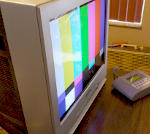
So I flicked the service switch into position and was greeted with this: http://img.photobucket.com/albums/v3...viceswitch.jpg Didn't seem like a very neutral color, looked quite orange.. So I followed everything I could find on this site: http://www.repairfaq.org/REPAIR/F_monfaq3.html And after a tedious task of going back and forth without a freakin mirror, adjusting G2 and the BIAS pots and drives, I got this: http://img.photobucket.com/albums/v3...n/IMG_1044.jpg Holy mother of god that is a seriously crisp and colorful picture! And no bleeding!! That's with the NTSC color and tint set via the color bars and a blue filter, so the color IS at the correct level. Whattya think? I'm SO happy right now.. PS: Here's my soldering job on the flyback I did a couple months ago, I never showed it: http://img.photobucket.com/albums/v3...gon/solder.jpg I think I did well.
|
|
#15
09-01-2012, 12:27 PM
|
|||
|
|||
|
Yay, glad you got it looking right!
Sometimes that is all it takes is having the proper G2 and bias settings to get an excellent picture. That is always the first thing I adjust when I get an old set in. Almost always improves the picture a great deal. Increased brightness/contrast, and usually sharpness/focus too.
|
| Audiokarma |
 |
| Thread Tools | |
| Display Modes | |
|
|





 Linear Mode

