
|
|
|
#16
 02-03-2011, 09:46 PM
|
||||
|
||||
|
No, B&W.
If the tester doesn't light up the filaments, you either have a problem with the tester or an open filament. If you have a voltmeter, you can check the CR-70 output by reading the filament pins on the tester's socket. If you get voltage there, it's still possible the pins on the CRT have worked loose. In that case you might try resoldering them before binning the CRT. Also, read the filament pins right on the CRT for resistance. You should get some low reading like under 10 ohms.
__________________
Evolution... 

|
|
#17
02-03-2011, 09:58 PM
|
||||
|
||||
|
The filament pins are 1 & 12 the ones on either side of the index lug on the Bakelite base.
12LP4 info here: http://www.google.com/url?sa=t&sourc...bWf4BA&cad=rja
|
|
#18
02-03-2011, 10:02 PM
|
||||
|
||||
|
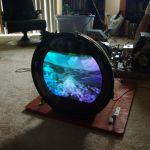
The Sencore tester does work, and lights up filaments on other sets, so im guessing if i have an open filament the CRT is dead? a couple of pins do wobble loosely, and a I attached pic that shows someone has put electrical tape on the neck at one time, so maybe the pins could have lost contact?
|
|
#19
02-03-2011, 10:12 PM
|
|||
|
|||
|
are you using the universal tester, its a bit tricky about setting the controls. the clips go to the correct pins (the clip on leads tell you which pin, ex. filament, K, G1, G2. After attaching to the correct pin (per the book settings) you then set the rotary switches 1,2,3,4,5,6. the switch settings do not correlate to the pins number of the CRT. It explains it in the book (how to use the unversal adapter which is really just loose pin connectors).
Last edited by DaveWM; 02-03-2011 at 10:16 PM.
|
|
#20
02-03-2011, 10:24 PM
|
||||
|
||||
|
yup, using the Universal Adapter as the manual say (UA). I'm using the correct settings and the clips were at the correct pins, you have to look at the manual starting with the 1/F1 connector, under F1, than look at the CRT chart under the model to see which numbered pin they go to. F1, F2, K, G1, and G2.. Than i set the switch settings, Fil voltage etc..
|
| Audiokarma |
|
#22
02-03-2011, 10:29 PM
|
||||
|
||||
|
F1 set 1, F2 set 12 thats what the CRT chart says to set F2
|
|
#23
02-03-2011, 10:30 PM
|
|||
|
|||
|
do you have the manual, go back and read the instructions on how to use the universal tester, and no that is not correct. the connectors on the UA go to 1 and 12 but the switch settings are 1 and 2 and 3 etc...
|
|
#24
02-03-2011, 10:33 PM
|
||||
|
||||
|
Ok i see now in the manual the settings have to be set like this
F1 1 F2 2 K 3 G1 4 G2 5
|
|
#27
02-03-2011, 10:37 PM
|
||||
|
||||
|
ok, let me go do a cutoff and emission test and will report back, i got to re hook the connectors back up...
|
|
#28
02-03-2011, 10:46 PM
|
||||
|
||||
|
Ok the machine is now lighting the tube up, and the sencore is making the whistle noise like it's working, but still both cutoff and emissions needle no move
Hk- shorts test needle slowley went from upper good to lower good, than all of a sudden dropped to the lower bad Last edited by tvcollector; 02-03-2011 at 10:50 PM.
|
|
#30
02-03-2011, 10:50 PM
|
||||
|
||||
|
Hk- shorts test needle slowley went from upper good to lower good, than all of a sudden dropped to the lower bad
|
| Audiokarma |
 |
| Thread Tools | |
| Display Modes | |
|
|






 Linear Mode

