
|
|
|
#11
 04-05-2008, 10:21 PM
|
||||
|
||||
|
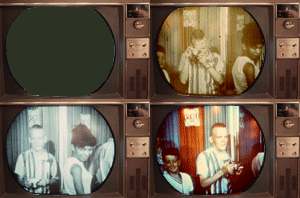
I see line structure in all the pix except the convergence pattern. Since I don't see any shutter effects, I presume your shutter is slower than 1/30 second and captures both interlaced fields. Then the visible line structure could come from some degree of line pairing.
Something to try: turn the vertical hold very slightly and see if the line structure changes. Regarding the moire' problems - are you defining a picture reduced to the monitor resolution as 1:1? That's not what I meant. I meant the same size as the camera original (2272x1704). Set the photoimpact zoom at 1:1 to get this. The picture will exceed the size of your monitor screen, but don't worry about it. You should get the least moire' problems with this setting. Then, if you do see moire' with smaller zoom settings, you can ignore it since you know thje capture is good and it's just a display problem. Once that is settled, you can work on reducing the size for posting. Whatever you do, view the reduced picture at 1:1 zoom setting also for minimum moire'. One other thing to try, in case there is some problem with the scaling between the monitor native resolution and the 1024x768 input you are using, is to temporarily set your video card to 1280x1024. You may not like the small icons and text you get, but you will elminate any possible scaling problem there. In general, it's best to not do any resolution changes anywhere along the chain when trying to determine if the original capture is clean. Your comment about dynamic range is interesting. I see you are using the video essentials DVD to feed the TV. Your computer monitor must also be set to the correct black level, or you will have dynamic range viewing problems. Check out http://www.daproducts.com/calibrate/ for example. It is also possible to use the video essentials DVD to calibrate video playback on your computer, but caution - this calibration will occur within the dvd player program and will not adjust still image viewing with other programs. 
|
|
|




 Threaded Mode