
|
|
|
#1
 02-23-2009, 10:11 AM
|
|||
|
|||
|
721TS - Removing Glass Panel
Just got my 721TS out of storage. Still in the process of setting up, finally got a picture last night after a couple of hrs of fiddling. I'd like to remove the glass panel in front of the CRT to clean it a little bit but I can't figure out how to get that panel off. The glass sits in a little rectangular bracket at the bottom, and If I can get the bracket off the glass will slide out. Any ideas on how to do that?
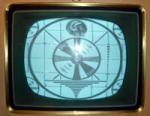
Pictures to follow. Thanks! Ian 
|
|
#2
02-23-2009, 12:22 PM
|
||||
|
||||
|
As I recall, getting the wooden front panel off isn't too bad. (just a couple screws on the underside of the TV, and then it lifts off) I haven't pulled the glass out of that panel, though.
__________________
Bryan
|
|
#3
02-23-2009, 06:05 PM
|
||||
|
||||
|
I don't own one, but here is the factory service manual, courtesy of Dave S. of NJARC:
http://www.njarc.org/manuals/RCA_721TS_Service_Data.pdf Note: 138 megabyte download. Looks like the entire front panel comes off, along with the front glass. Look at the diagram & explanation in the installation instructions. Two wing nuts inside cabinet, two little screws under the panel front. Phil Nelson Phil's Old Radios http://antiqueradio.org/index.html
|
|
#4
02-23-2009, 08:11 PM
|
||||
|
||||
|
Quote:
 you can als remove the slotted speaker cover by removing some small screws, some are longer than others so make note of position hope this helps. you can als remove the slotted speaker cover by removing some small screws, some are longer than others so make note of position hope this helps.
__________________
RCA VICTOR and its dealers bring you......
|
|
#5
02-23-2009, 10:14 PM
|
|||
|
|||
|
Thanks very much all. I now have a project for tomorrow.
It's a nice little set, purchased from the oft mentioned NY TV dealer Vaughn about 15 years ago. Packed in storage for the past 5 years. Unfortunately today I broke a 6SN7GTB when it rolled off the table.  Ordered a couple of replacements today. Ordered a couple of replacements today.Anyone have experience using this set with a DVD or VCR? When I hooked it up briefly last night to an RF modulator the set went nuts with wavy lines (almost like vertical sine waves) on every channel. Ian
|
| Audiokarma |
|
#6
02-23-2009, 11:48 PM
|
||||
|
||||
|
This set should work great on DVD with a Modulator.
Make sure you have the cables from the DVD to the Modulator hooked up correctly and that the set is on the correct channel, the signal's so strong I've had it bleed across into other channels and look like that. If you plug the audio into the Video or vice versa it can also cause symptoms like you describe. If you're using a Progressive scan DVD player you can use the Green component jack for the video, I believe it has only the B&W signal as opposed to the yellow Composite jack which also has the color signal (someone correct me if that's wrong). I've never noticed any real difference myself.
|
|
#7
03-03-2009, 02:01 AM
|
||||
|
||||
|
It would not need to be a progressive-scan player, just a player with component-video output. (You would definitely not want to use any player in progressive-scan mode since that is a 31.5 kHz signal.) Two of the four pins in the S-video output on most DVD players also carry a B&W-only video (luminance, same as "Y" in a component Y-Pr-Pb) signal.
__________________
Chris Quote from another forum: "(Antique TV collecting) always seemed to me to be a fringe hobby that only weirdos did."
|
|
#8
03-03-2009, 12:26 PM
|
||||
|
||||
|
The whole front of the cabinet comes off, glass included. There are releases inside the cabinet. I haven't done it in years on a 721, but see the manual on "Kinescope removal". On all pre-1949 RCAs, the tube comes out the front of the cabinet and is not mounted on the chassis.
Charles
__________________
Collecting & restoring TVs in Los Angeles since age 10
|
 |
|
|







 Linear Mode

