Videokarma.org

Go Back   Videokarma.org TV - Video - Vintage Television & Radio Forums > Early B&W and Projection TV

Notices

We appreciate your help

in keeping this site going.
Reply
 
Thread Tools Display Modes
  #1  
Old 08-21-2010, 07:27 PM
VA561's Avatar
VA561 VA561 is offline
VideoKarma Member
 
Join Date: Apr 2010
Location: norfolk,virginia
Posts: 213
Runs great except............

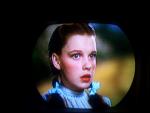
I have a 1950 RCA 50T-1404. It runs great except that the picture is tilted down to the right as you are looking at the screen. I tried using the yoke adjustments but that only moves the screen up and down and left and right.
Any advice would be appreciated. You can see by the attached photo that the image is tilted down to the right.
Attached Images
File Type: jpg IMG00057-20100821-1938.jpg (42.6 KB, 53 views)
Reply With Quote
  #2  
Old 08-21-2010, 07:31 PM
bandersen's Avatar
bandersen bandersen is offline
RCA 741PCS
 
Join Date: Mar 2009
Location: Chicago, IL
Posts: 8,780
Try rotating the yoke. There's usually a thumbscrew holding it in place.
__________________
Here are my Vintage Radio & TV YouTube Channel and Photo Gallery
Reply With Quote
  #3  
Old 08-21-2010, 07:40 PM
jr_tech's Avatar
jr_tech jr_tech is offline
VideoKarma Member
 
Join Date: Sep 2009
Posts: 4,573
You should be able to rotate the deflection yoke on the neck of the tube. Likely there is a wingnut that holds the yoke...check for a slot and wingnut at the top of the yoke assembly.... be careful! if it is a metal cone tube, your hand will be close to the HV, as you try to turn the yoke!
jr
Reply With Quote
  #4  
Old 08-21-2010, 07:55 PM
dieseljeep dieseljeep is offline
VideoKarma Member
 
Join Date: Jul 2010
Posts: 7,562
Model # 50-1404 sounds like a Philco number.If so, set uses a 12LP4 CRT. Dave.
Reply With Quote
  #5  
Old 08-21-2010, 08:22 PM
jr_tech's Avatar
jr_tech jr_tech is offline
VideoKarma Member
 
Join Date: Sep 2009
Posts: 4,573
Quote:
Originally Posted by dieseljeep View Post
Model # 50-1404 sounds like a Philco number.If so, set uses a 12LP4 CRT. Dave.
If that is the case, the Yoke clamp is likely hidden behind the focus coil, as in this example in my grubby attic.
jr
Attached Images
File Type: jpg DSCN1022.jpg (47.2 KB, 44 views)
Reply With Quote
Audiokarma
  #6  
Old 08-21-2010, 08:27 PM
Adam's Avatar
Adam Adam is offline
VideoKarma Member
 
Join Date: Oct 2005
Location: Phoenix, AZ
Posts: 2,383
Am I missing something here, or is that whole tv sitting on it's side? Look closely at the picture, the curved sides of the crt mask appear to be on the top and bottom.
Reply With Quote
  #7  
Old 08-21-2010, 08:58 PM
Tom Albrecht's Avatar
Tom Albrecht Tom Albrecht is offline
VideoKarma Member
 
Join Date: Mar 2010
Location: San Jose, CA
Posts: 675
Looks like the whole picture is rotated 90 degrees, which is not exactly helpful, but if you turn your head sideways (or imagine what it would look like if you did), you can see that the picture is then slightly downhill to the right.

Definitely needs the yoke rotated just a tad, which is different from the centering adjustments that have been tried.
Reply With Quote
  #8  
Old 08-21-2010, 10:29 PM
VA561's Avatar
VA561 VA561 is offline
VideoKarma Member
 
Join Date: Apr 2010
Location: norfolk,virginia
Posts: 213
Sorry about the picture. Something didn't work when I tried to post it. I tried to post it so it was upright. Also I was mistaken, it is a PHILCO. That being said,
Where would the adjustment be to rotate the yoke?
Reply With Quote
  #9  
Old 08-21-2010, 10:41 PM
VA561's Avatar
VA561 VA561 is offline
VideoKarma Member
 
Join Date: Apr 2010
Location: norfolk,virginia
Posts: 213
This is the correct angle.
Attached Images
File Type: jpg IMG00057-20100821-1938.jpg (42.7 KB, 29 views)
Reply With Quote
  #10  
Old 08-21-2010, 11:11 PM
jr_tech's Avatar
jr_tech jr_tech is offline
VideoKarma Member
 
Join Date: Sep 2009
Posts: 4,573
In the picture that I posted above, a screw head / 5/16" hex head (may be 1/4" on some models) screw tensions the metal clamp around the yoke. Reaching in from the back of the set, it should be in about the 11:00 position, near the left strut that comes from the front of the set, hidden by the flange of the focus coil...loosen it and you should be able to turn the yoke.
Loosen tension bolt on yoke clamp ... Pix 1
Reach around focus flange and turn yoke body... Pix 2

jr
Attached Images
File Type: jpg DSCN1023.jpg (54.1 KB, 30 views)
File Type: jpg DSCN1025.jpg (54.0 KB, 33 views)

Last edited by jr_tech; 08-22-2010 at 12:45 AM. Reason: add pix
Reply With Quote
Audiokarma
  #11  
Old 08-22-2010, 06:03 PM
VA561's Avatar
VA561 VA561 is offline
VideoKarma Member
 
Join Date: Apr 2010
Location: norfolk,virginia
Posts: 213
Thanks everyone for the info. I was able to adjust the yoke and correct the picture tilt. Thanks Again
Reply With Quote
Reply


Posting Rules
You may not post new threads
You may not post replies
You may not post attachments
You may not edit your posts

BB code is On
Smilies are On
[IMG] code is On
HTML code is Off

Forum Jump


All times are GMT -5. The time now is 09:02 AM.


Powered by vBulletin® Version 3.8.4
Copyright ©2000 - 2026, Jelsoft Enterprises Ltd.
©Copyright 2012 VideoKarma.org, All rights reserved.